HitMyNeed
WiFi Garage Door Opener Smart Controller
WiFi Garage Door Opener Smart Controller
Couldn't load pickup availability
Smart, Secure Control for Your Garage Door
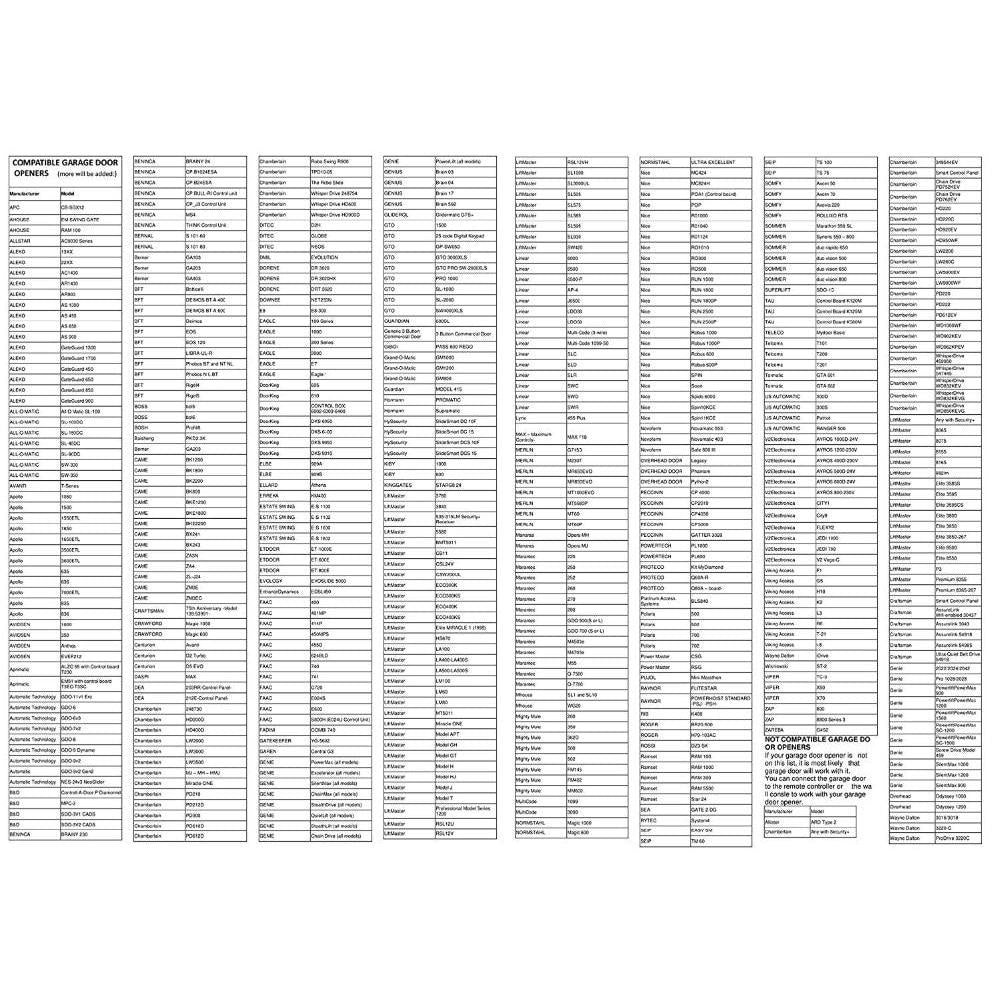
The Garage Door Opener Smart Controller lets you manage your garage door directly from your smartphone, wherever you are. Built with durable ABS and PC materials, this compact controller (87 mm x 40 mm) connects to your existing garage door opener via a 5 m cable and your 2.4G WiFi network, providing reliable performance for everyday use.
Using the Tuya or Smart Life app (available on iOS and Android), you can open, close, and monitor your garage door in real time. The controller also integrates with Amazon Alexa and Google Home for hands-free voice commands once enabled. Set timers, schedules, and countdowns so your garage door opens or closes automatically at specific times, helping you manage daily routines and enhance home security.
Why It's a Smart Choice
- Remote access and monitoring - Check whether your garage door is open or closed and control it from anywhere using your phone.
- Voice control compatibility - Works with Alexa and Google Home, allowing you to operate your garage door using simple voice commands.
- Scheduling and automation - Use timer and countdown functions to set automatic open/close times, reducing the risk of accidentally leaving the door open.
FAQ
Q: Which apps does this controller work with?
A: It is compatible with the Tuya and Smart Life apps on iOS and Android, and can also be used with Alexa and Google Home for voice control.
Q: Can one controller operate multiple garage doors?
A: No. One smart controller is designed to control one garage door only. For multiple doors, you will need one controller per door.
Q: What WiFi does it require?
A: The controller connects to a 2.4G WiFi network. It does not support 5G-only networks.
Q: Is installation difficult?
A: Installation is straightforward using the included manual or video tutorials. Once wired to your existing opener, connect it to WiFi via the app and follow the on-screen steps until the indicator light shows a successful connection.