HitMyNeed
Portable Negative Film Scanner with LCD Display
Portable Negative Film Scanner with LCD Display
Couldn't load pickup availability
Digitize Your Film Negatives with Clarity and Control
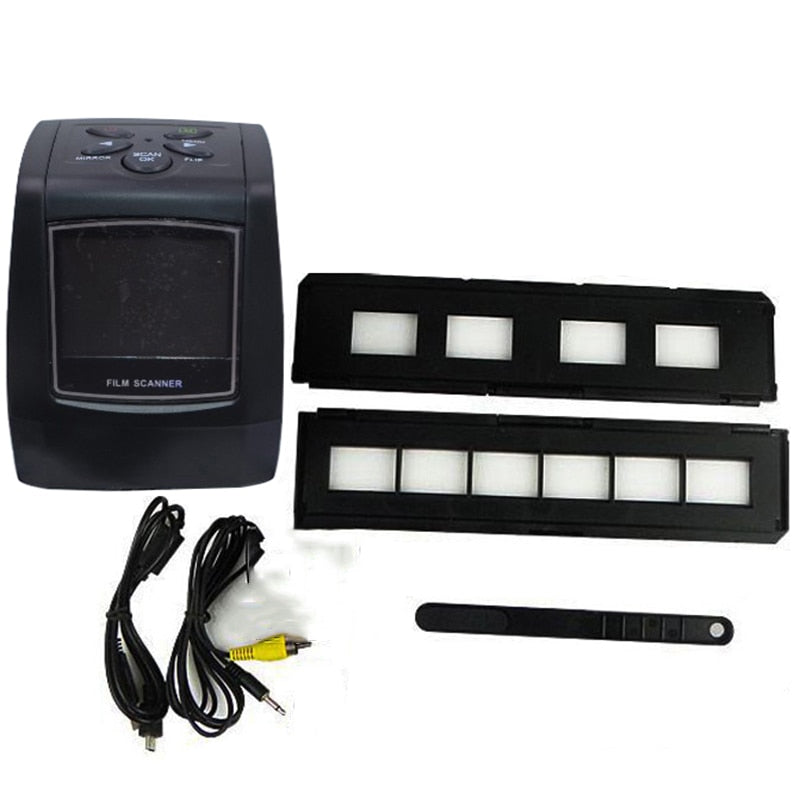
Convert your 35mm negative films into sharp, shareable digital files with this Portable Negative Film Scanner. Designed for home and office use, it captures images at 5.0 to 10.0 megapixels and saves them directly as JPEG files. The built-in 2.4" color TFT LCD screen lets you preview, review, and adjust images before saving, while automatic or manual exposure control (-2.0EV to +2.0EV) helps you achieve accurate brightness and contrast.
The scanner offers scan quality options of 1800 dpi and 3600 dpi (interpolation), providing detailed results suitable for archiving, reprinting, or online sharing. Connect via USB to your computer for easy file transfer, or save directly to an SD card (supports up to 32GB) for stand-alone operation. Compact at 88 x 86 x 102 mm and powered by DC 5V, it fits comfortably on any desk and is convenient to move or store when not in use.
Why It's a Smart Choice
- Efficient Film-to-Digital Workflow - Scan your negatives and save as JPEG files without needing a separate computer during capture, then transfer when convenient.
- Clear Image Previews - Use the 2.4" TFT LCD to frame, check exposure, and confirm each scan, reducing the need for rescans.
- Space-Saving and Easy to Use - The compact footprint, simple controls, and included film trays and brush make setup and maintenance straightforward.
FAQ
Q: Do I need a computer to use this scanner?
A: No. You can scan directly to an SD card (up to 32GB). A computer is only needed for transferring or editing the saved JPEG files.
Q: What types of film does this scanner support?
A: It is designed for standard negative films that fit the included film trays. Refer to the user manual for supported film sizes and loading instructions.
Q: Is any special software required?
A: The scanner installs its driver automatically when connected via USB to most modern operating systems. For detailed steps, follow the installation and transfer guide in the user manual.
Q: How should I care for my negatives before scanning?
A: Use the included brush to gently remove dust and debris from the film and from the scanner area to help reduce spots and maintain image quality.