HitMyNeed
Phone Cooler Fan with Adjustable Game Triggers
Phone Cooler Fan with Adjustable Game Triggers
Couldn't load pickup availability
Keep your phone cool and your aim steady during every match.
This Phone Cooler Fan with Game Shooter combines efficient cooling with adjustable trigger controls, giving mobile gamers a more stable and comfortable experience. Designed for smartphones between 4.7 and 6.5 inches, it attaches securely to the back of your device using an air-pressure clamping system and soft silicone pads that help protect against scratches. The lightweight plastic and alloy construction keeps your setup easy to handle, even during long gaming sessions.
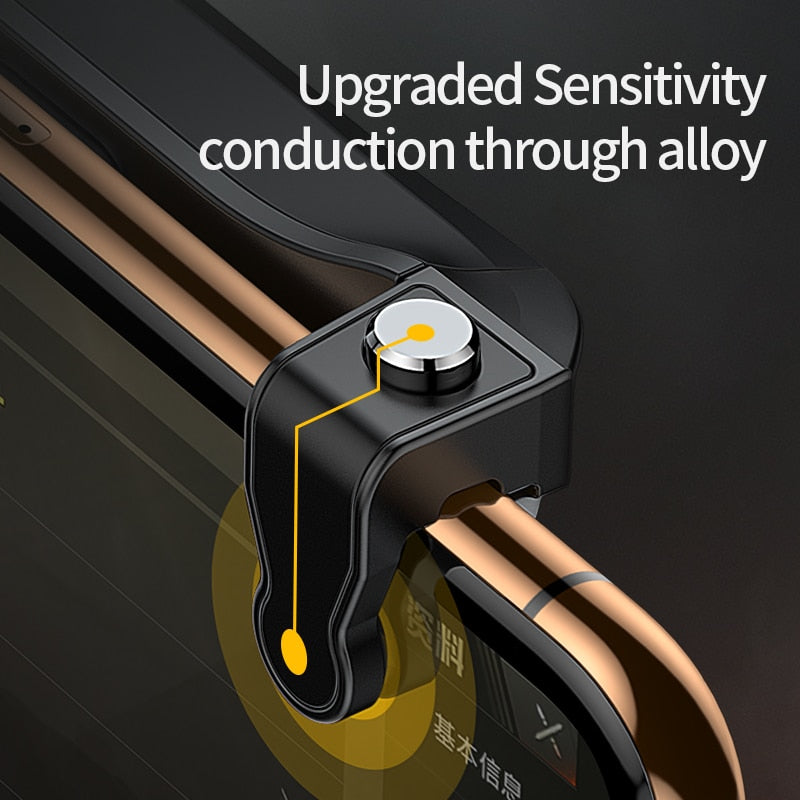
The built-in cooling fan runs at up to 4000 RPM to help manage device temperature during graphics-intensive games, while the 500 mAh rechargeable battery provides up to 6 hours of operation on a full charge. Recharging takes approximately 1.5 hours using the included 1.2 m micro USB cable. Integrated, length-adjustable shooter-style triggers offer more precise control for supported games, so you can tap, aim, and shoot without covering your screen.
Why It's a Smart Choice
- Improved thermal control - High-speed fan helps reduce heat buildup to support more consistent performance during extended gameplay.
- Integrated gaming triggers - Adjustable shooter controls provide an additional input method, helping to keep your thumbs off key screen areas.
- Secure, phone-friendly fit - Air-pressure valve and silicone contact points help ensure a firm hold while minimizing the risk of marks or scratches.
FAQ
Q: Which phones are compatible with this cooler?
A: It is designed for most smartphones with screen sizes between 4.7 and 6.5 inches, including many iOS and Android models.
Q: Can I charge my phone while using the cooler?
A: Yes. The cooler has its own 500 mAh battery, so you can typically connect your phone to a charger while the cooler operates independently.
Q: Does it require any special app or software?
A: No additional app is required for the cooling function. The triggers work with games that support on-screen button mapping or customizable control layouts.
Q: How do I attach and remove the device?
A: Position the cooler on the back of your phone, allow the air-pressure clamp and silicone pads to secure it, then adjust the triggers to align with your in-game controls. To remove, gently release and lift it away from the device.