HitMyNeed
Mobile Gaming Battle Dock Keyboard & Mouse Converter
Mobile Gaming Battle Dock Keyboard & Mouse Converter
Couldn't load pickup availability
Turn Your Phone Into a Precise Gaming Station
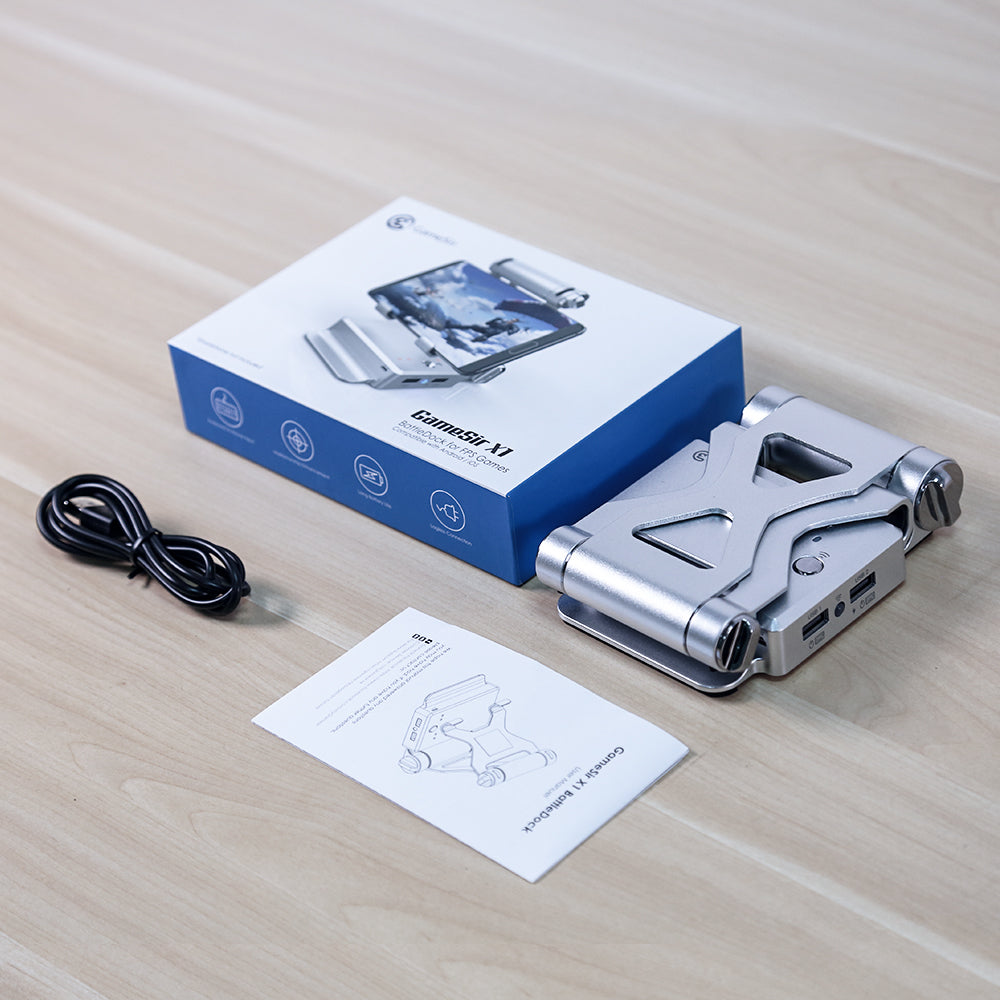
The Mobile Gaming Accessories Battle Dock allows you to connect a standard keyboard and mouse to your smartphone or tablet for accurate, PC-style control in your favorite mobile games. With Bluetooth connectivity, an integrated adjustable stand, and a compact folding design, it is built for players who want reliable performance at home or on the go.
This dock features an adjustable holder that supports most smartphones, iPads, and Android tablets, letting you position your screen at a comfortable viewing angle. A 3000 mAh built-in battery provides extended playtime, so you can focus on your matches instead of your power level. Data transmission is optimized to ensure that every keystroke and mouse movement is registered quickly and consistently, helping reduce input delay during fast-paced gameplay.
Why It's a Smart Choice
- PC‑style control on mobile - Use your own keyboard and mouse for more precise aiming, movement, and actions in FPS and battle royale titles.
- Long-lasting 3000 mAh battery - Play for extended sessions without worrying about frequent recharging.
- Portable and adjustable design - Foldable rectangular body and wide-angle stand adjustment make it easy to store, carry, and set up in different environments.
FAQ
Q: Which devices are compatible with this dock?
A: It is compatible with most iPhone and Android smartphones and tablets that support Bluetooth connectivity.
Q: How do I connect my keyboard and mouse?
A: Simply plug your smartphone into the dock via USB cable to activate keyboard and mouse control, then connect your preferred wired keyboard and mouse to the available ports.
Q: Does it support popular shooting games?
A: Yes. It is designed for FPS and battle royale games and supports many titles such as PUBG Mobile, Rules of Survival, and similar games that allow external control mapping.
Q: Is there noticeable input lag?
A: The dock uses a stable data transmission standard aimed at ensuring responsive input, so keystrokes and mouse movements are reflected quickly in-game.