HitMyNeed
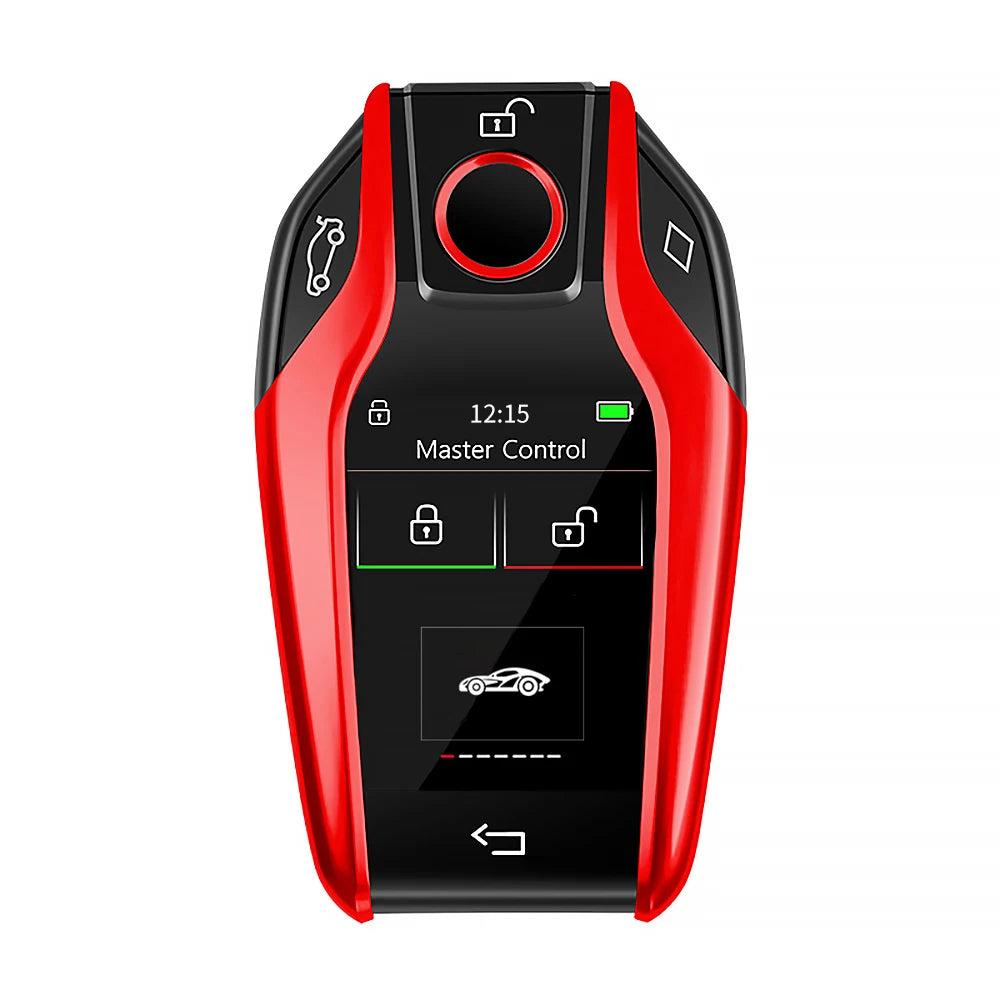
CF618 LCD Smart Remote Key with Apple Find My
CF618 LCD Smart Remote Key with Apple Find My
Couldn't load pickup availability
Upgrade your car access with an intelligent LCD smart key
The CF618 Modified Smart Remote Key combines an IPS HD LCD display, advanced security, and Apple Find My integration in a compact, durable key body. Designed as an aftermarket solution for a wide range of push‑start vehicles (including many BMW, Mercedes-Benz, Audi, Toyota, Honda, Hyundai and KIA models), it replaces traditional remotes with a clear, touch-enabled screen and intuitive menu system. The CF618 supports 12 interface languages (English, Chinese, Korean, Russian, Thai, Spanish, Portuguese, Traditional Chinese, Japanese, French, German, Italian) for convenient use in different regions.
The integrated Apple Find My function allows you to locate your key and vehicle via the Find My app on compatible iOS devices. Once set up with the included OBD interface (for vehicles that support it), the system can offer comfort access features such as automatic lock/unlock when approaching or leaving the car, smart trunk unlock, and automatic window closing on selected models. Long standby performance helps reduce charging frequency, and the anti‑loss function lets you store your phone number so others can contact you if the key is found.
Why It's a Smart Choice
- Clear LCD interface - IPS HD anti‑glare screen for viewing lock status, settings, and key information at a glance.
- Apple Find My integration - Track and locate your key using the Apple Find My app, backed by the global iOS device network.
- Comfort access options - Optional OBD module enables auto lock/unlock, smart trunk, and auto window close on supported vehicles.
FAQ
Q: Is this key compatible with my exact car model?
A: Compatibility depends on brand, model, year, and existing smart key/engine start system. Please confirm with your vehicle details before ordering.
Q: Does it work with all iPhones?
A: The CF618 supports Apple's Find My app on compatible iOS devices. Ensure your iOS version supports Find My accessories.
Q: Do I need to install the OBD module?
A: The key can be used without OBD for basic functions. The OBD interface is required only if you want comfort access and auto window/trunk features on supported cars.
Q: How often does the key need charging?
A: Under typical use, the CF618 offers up to about 30 days of standby. Actual time varies with screen usage and enabled functions.
Q: Can I change or display a car brand logo on the screen?
A: No. Logos cannot be modified or displayed on the screen due to policy and licensing restrictions.