HitMyNeed
10 x 6.25 Inch Graphic Drawing Tablet with Stylus
10 x 6.25 Inch Graphic Drawing Tablet with Stylus
Couldn't load pickup availability
Digital Drawing Tablet for Accurate, Natural Illustration
Work more precisely on your digital art, illustration, and design projects with this 10 x 6.25 inch graphic tablet. Featuring 8192 levels of pen pressure sensitivity and a 5080 LPI touch resolution, it delivers smooth, responsive strokes that closely follow your hand movements. The battery-free stylus is lightweight and comfortable to use for long sessions, while the 250 PPS report rate helps minimize lag for a consistent drawing experience.
The tablet's working area of 255.06 x 159.84 mm provides ample space for sketching, painting, photo retouching, and note-taking. With a pen sensing height of 10 mm, the cursor appears as the pen approaches the surface, helping you position lines and details accurately. The tablet connects via Micro USB and is compatible with Windows 7/8/8.1/10 and macOS 10.10 or later, integrating smoothly into most desktop or laptop workflows.
Why It's a Smart Choice
- Natural pen-on-tablet control - 8192 pressure levels allow you to vary line weight and opacity by adjusting pen pressure, similar to traditional pencils and brushes.
- Comfortable for left- and right-handed users - The tablet layout supports both orientations, so you can position it to match your dominant hand and working style.
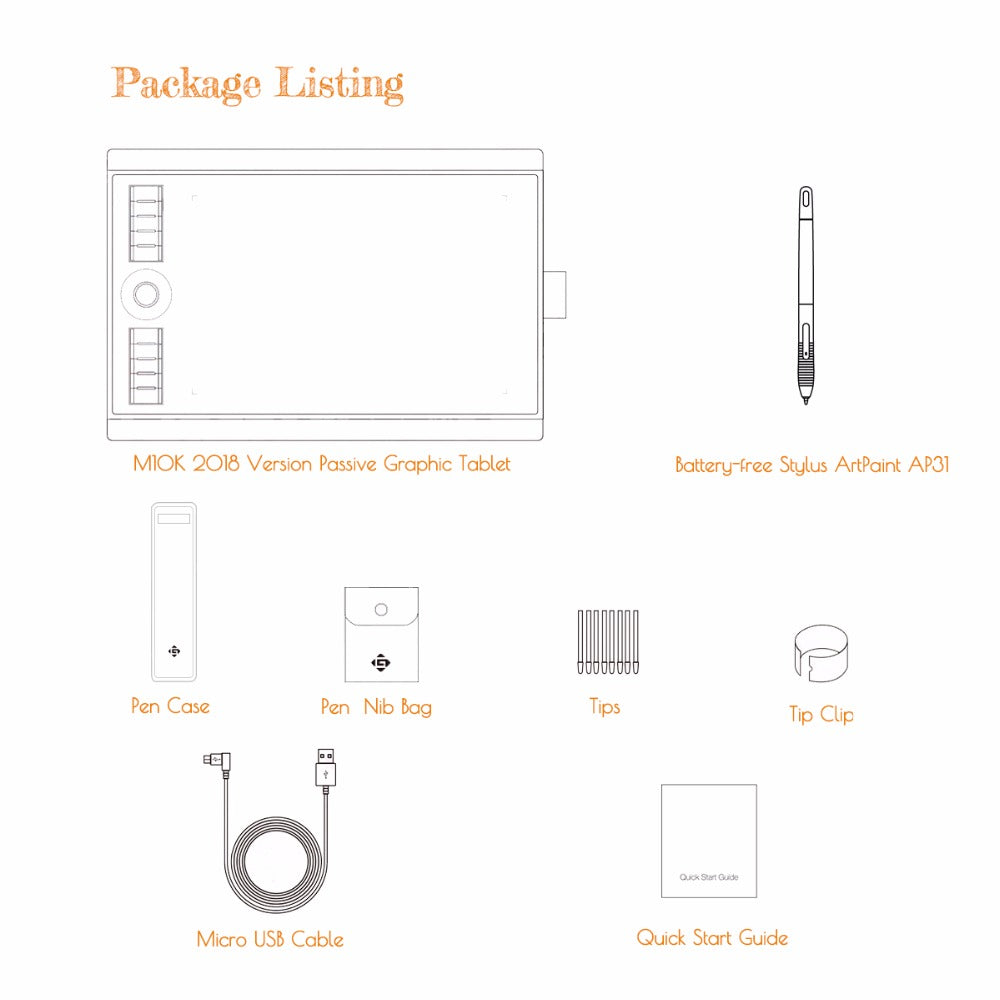
- Complete kit to get started - Includes tablet, battery-free pen, pen case, 8 replacement nibs with clip, felt pouch for nibs, USB cable, and quick start guide.
FAQ
Q: Does the stylus require batteries or charging?
A: No. The included pen is battery-free and does not need charging.
Q: Is this tablet suitable for beginners?
A: Yes. The responsive surface and clear working area make it suitable for new users as well as experienced artists.
Q: Which operating systems are supported?
A: The tablet supports Windows 7/8/8.1/10 and macOS 10.10 or later.
Q: How do I use it left-handed?
A: You can rotate the tablet and adjust your software settings so the workspace matches your preferred orientation.