HitMyNeed
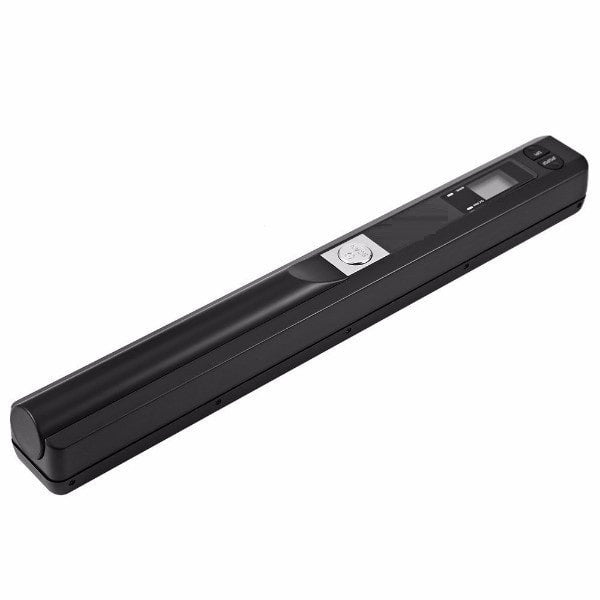
Portable Handheld A4 Document Scanner USB
Portable Handheld A4 Document Scanner USB
Couldn't load pickup availability
Portable scanning for documents, wherever you work
This handheld A4 scanner is designed for professionals and home users who need reliable document capture on the go. Compact and lightweight, it scans directly to digital files via USB, delivering clear results with adjustable optical resolution from 300 to 900 DPI. An integrated LCD display makes it easy to review settings and monitor scan status, helping you capture documents accurately the first time.
Ideal for home offices, site visits, client meetings, and personal record keeping, this handheld scanner allows you to convert contracts, receipts, notes, photos and reports into JPEG or PDF formats in a few simple steps. The A4 scan width accommodates standard office documents, while the portable design fits easily into a laptop bag or drawer when not in use. Simply connect via USB to transfer and organize your files on your computer for secure storage, sharing, or archiving.
Why It's a Smart Choice
- Portable A4 scanning - Capture full-size documents anywhere without relying on bulky desktop equipment.
- Adjustable 300-900 DPI resolution - Choose lower DPI for quick file capture or higher DPI for sharper text and detailed images.
- Easy digital archiving - Save scans as JPEG or PDF and transfer via USB for straightforward storage, backup, and sharing.
FAQ
Q: What document sizes can this scanner handle?
A: It is designed for A4 documents and can also scan smaller items such as receipts, notes, and photos placed within the A4 scan area.
Q: Does it require a power outlet to operate?
A: No, it is a handheld portable scanner. Power requirements depend on the specific model, but it is designed for mobile use and simple USB connectivity for file transfer.
Q: In what formats can I save my scans?
A: You can save your scanned documents as JPEG or PDF files, making them easy to share, print, or archive.
Q: Is software required to use the scanner?
A: Basic operation and file saving are handled by the scanner itself. For organizing, editing, or OCR (text recognition), you can use your preferred document management or image software on your computer.